Manager app
Your shop, in your pocket.
Live alerts from every till, and the power to act on them from wherever you are. Approve, restock, change prices and check today's numbers on your phone.
- Add it to your phone from the browser, no app store
- Alerts for approvals, stock, registers and sales
- Daily sales and stock alerts on WhatsApp too
What it does
Run the shop
from your phone.
Today
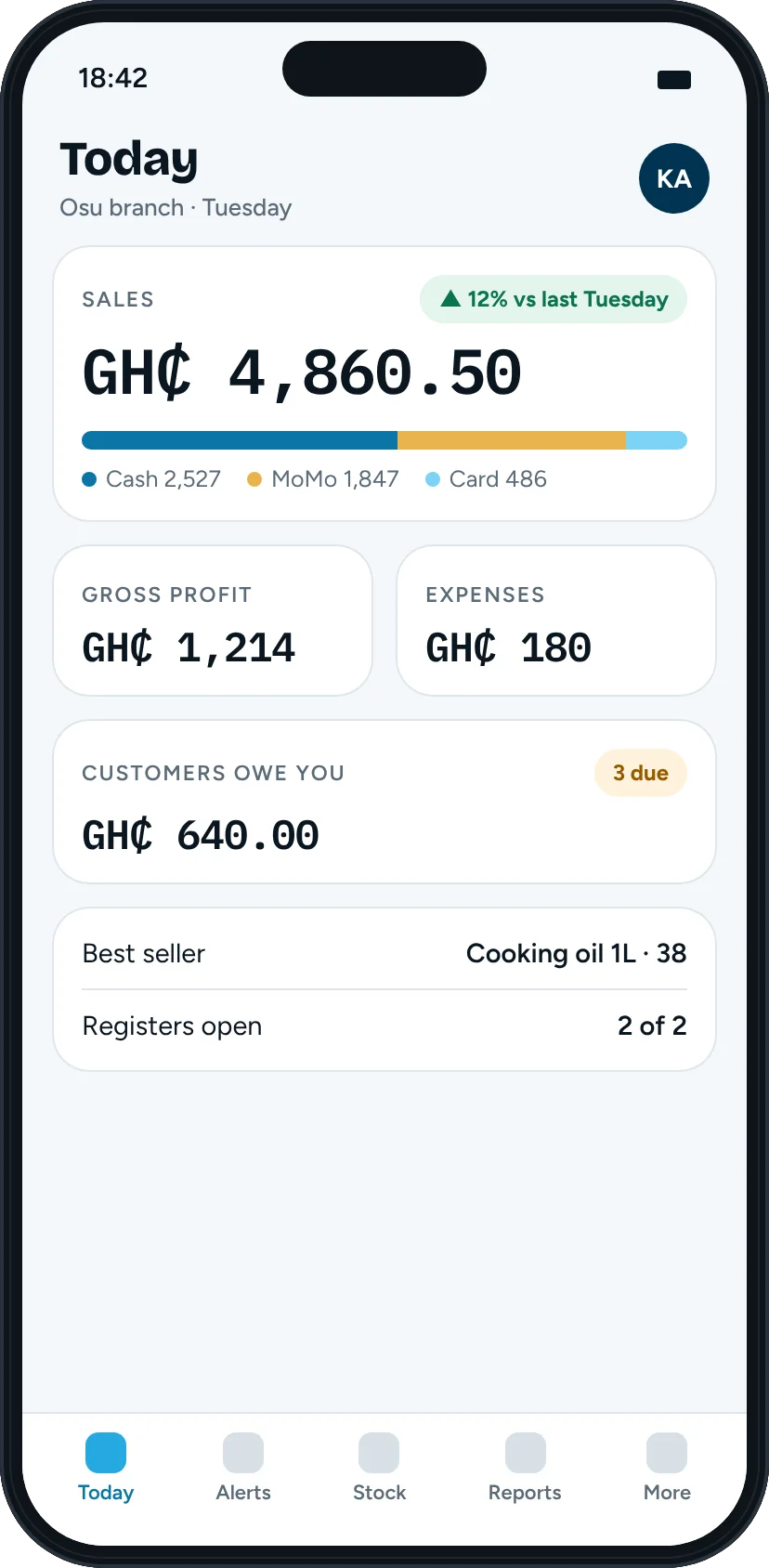
Today, at a glance.
Sales against the same day last week, gross profit, expenses, what customers owe you, and money received by cash, MoMo and card.
Restock
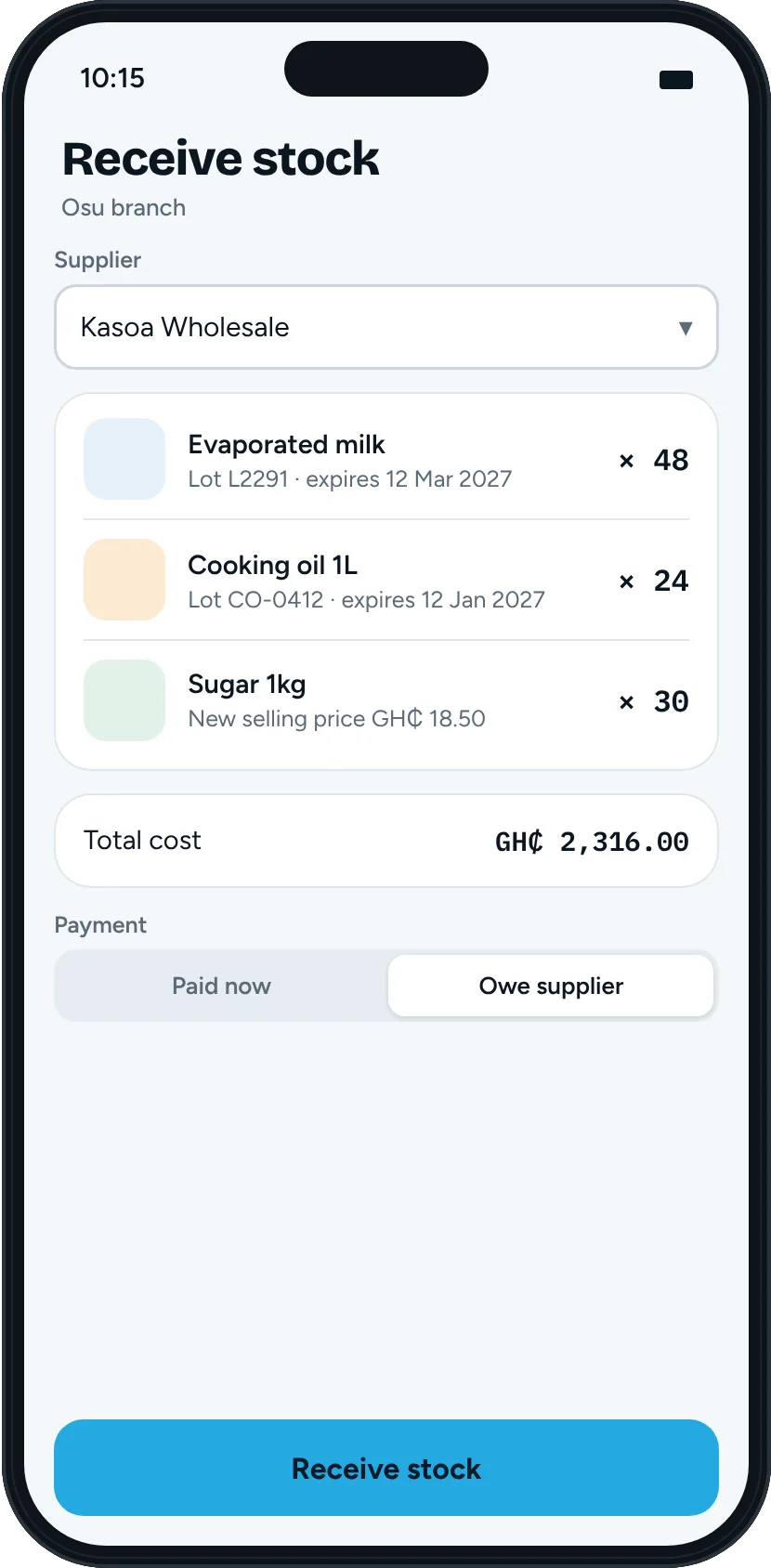
Receive stock as a proper purchase.
Pick the supplier, add the items with lot and expiry dates, and mark it paid now or owed.
- Set a new selling price as you receive.
- Receive against a purchase order.
- Take a photo of the supplier's invoice and the app fills in the amount, date and supplier for you to check.
Prices
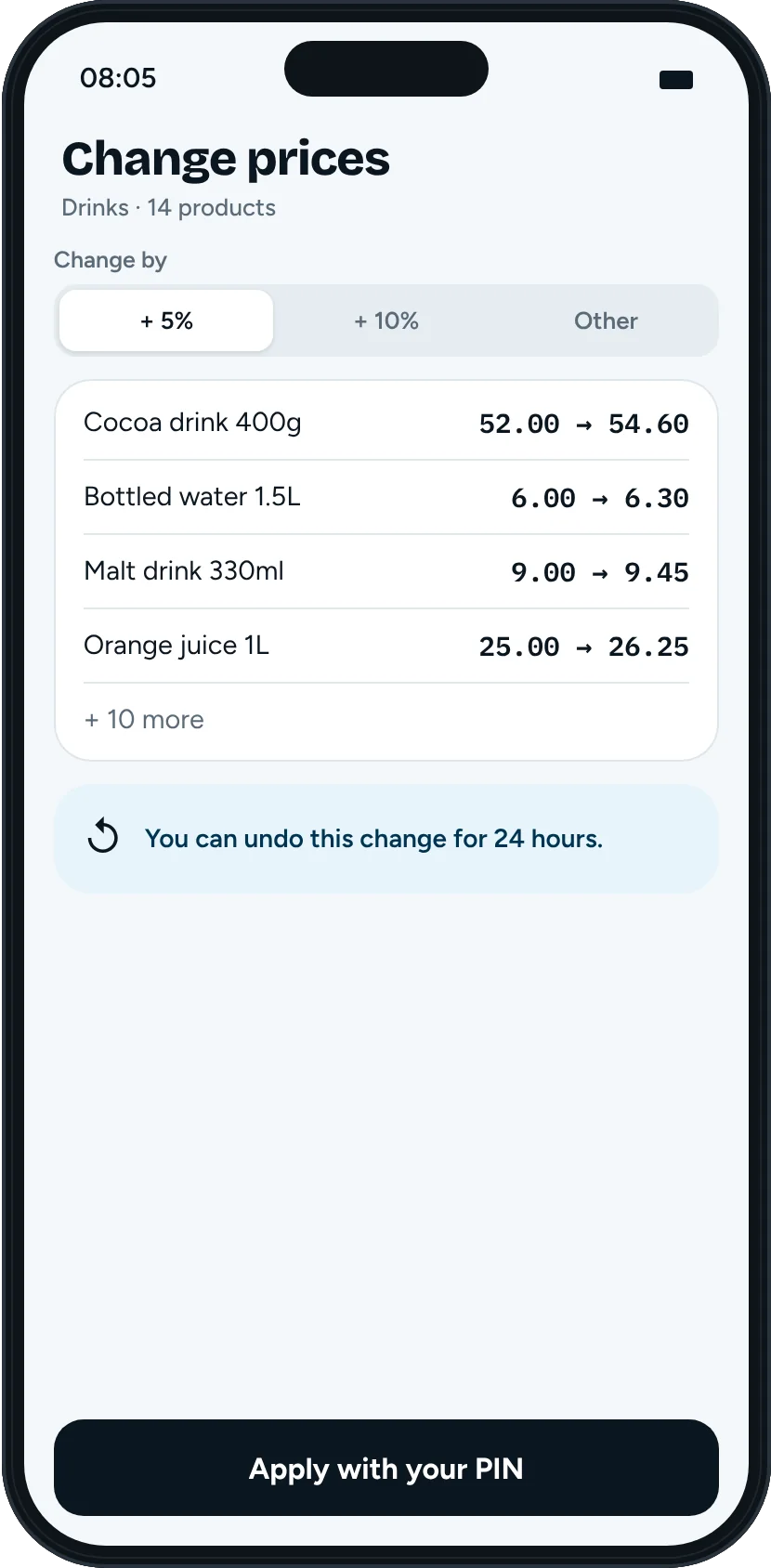
Change prices safely.
Raise or lower prices by a percentage for a category, a brand or chosen products. You see a preview first and confirm with your PIN.
- Undo the change for 24 hours.
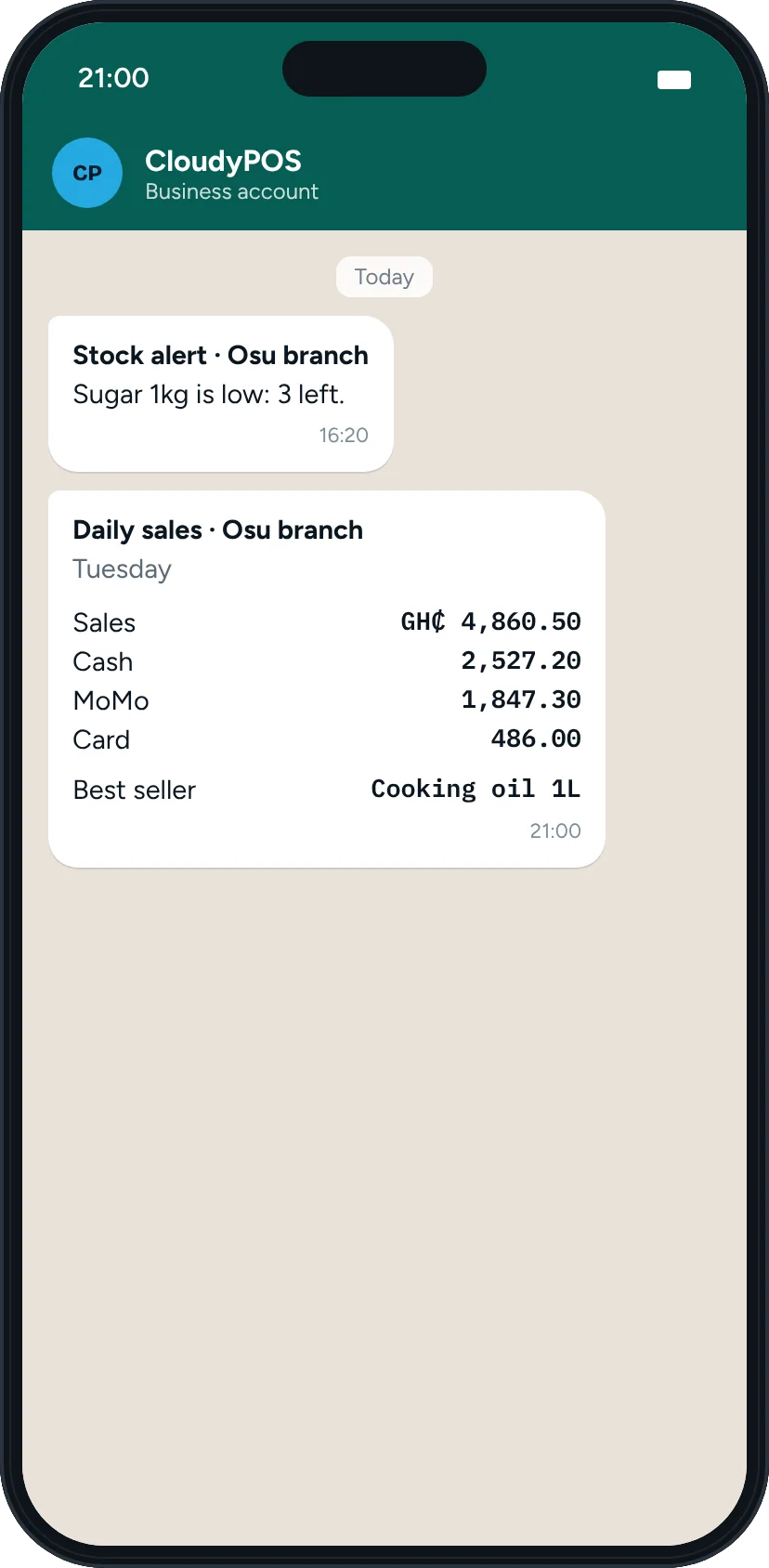
Alerts even when the app is closed.
Daily sales summaries and stock alerts are also sent to your WhatsApp. Every alert, including approvals, is in the Manager app.
- Choose which alerts you get, for which shops, and set quiet hours.
- Staff only get alerts for the locations they are allowed to see.
More in the app
Everything else
you'd walk over for.
Close a register remotely
Close a till from your phone. It won't close while a sale is being rung up or offline sales are still waiting.
Expenses and petty cash
Record expenses and pay out petty cash. A receipt photo from town can become an expense.
Write-offs and transfers
Write off damaged stock and move stock between locations.
Customers and suppliers
See who owes you and who you owe, record payments, and send reminders by call, WhatsApp or SMS.
Reports
Sales, profit, best and slow sellers, stock value, expenses and purchases, with each sale's audit trail.
Returns
Record a customer return with its refund.
Questions
The Manager app, plainly.
Do I get alerts if I don't open the app?
Yes. Daily sales summaries and stock alerts are also sent to your WhatsApp. Every alert, including approvals, is in the Manager app.
Who can use it?
Owners, admins and supervisors. It uses the same login and permissions as CloudyPOS, so each person sees only what their role allows.
Do I download it from an app store?
No. Open it in your phone's browser and add it to your home screen. On iPhone, add it to the Home Screen to receive alerts.
Can I stop alerts at night?
Yes. Each person chooses their alert types and sets quiet hours.
Start selling
with CloudyPOS.
Set up your products, sell a few items and watch the alerts arrive on your phone. Basic is free for 6 months.